Webhook Endpoint Configuration
Configure webhook endpoints in the ALPHA Portal.
Portal Overview
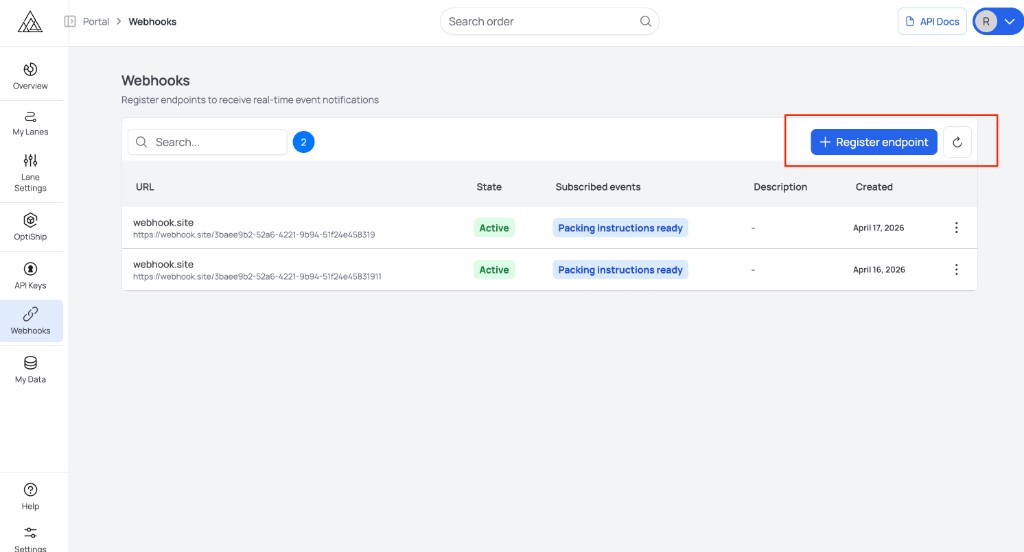
Register Endpoint Form
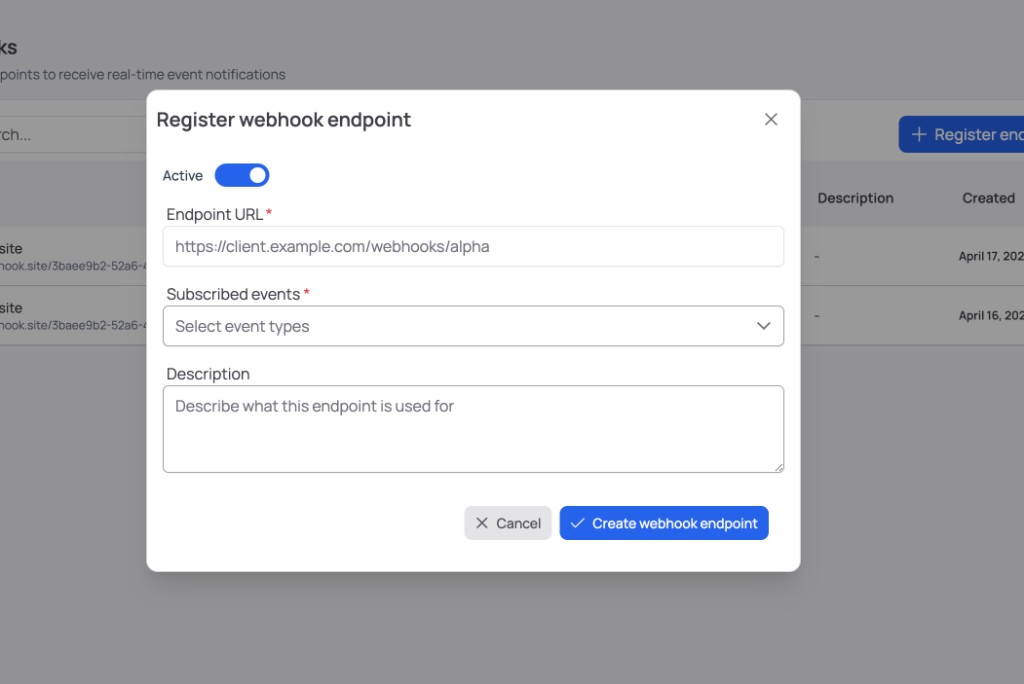
Register an Endpoint
Important
Use a dedicated HTTPS endpoint URL for ALPHA webhooks. Do not reuse an endpoint that is shared with unrelated inbound traffic.
When registering an endpoint, provide:
-
Endpoint URL (HTTPS)
-
Event subscriptions (choose from the supported types in Webhook Events)
-
Active status (enabled/disabled)
-
Description (optional metadata)
Configuration Rules
-
Endpoints are scoped to your group.
-
Duplicate endpoint URLs in the same group are not allowed.
-
At least one supported event must be selected.
Manage Existing Endpoints
Use the ALPHA Portal to:
-
Enable/disable an endpoint
-
Update endpoint URL or description
-
Change event subscriptions
-
Trigger a test delivery
Send a Test Request
Use the endpoint row menu in the ALPHA Portal and select Send test.
Tip
Run a test delivery after any endpoint URL or subscription change to confirm your receiver and signature verification are still working.
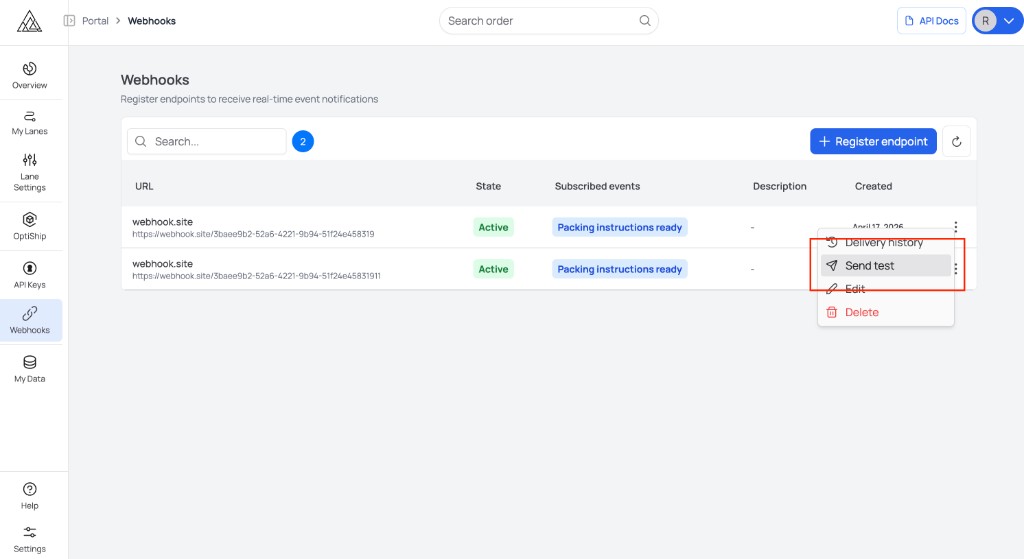
The test request uses the same JSON envelope and Standard Webhooks headers as production deliveries for the event type you selected. See Webhook Events for supported types and Webhook security for verification details.