API Authentication
All requests require a valid API key in the Authorization header. Invalid or
missing keys return 401 Unauthorized or 403 Forbidden.
Required Request Headers
Send the API key in the Authorization header:
|
Header |
Value |
Notes |
|---|---|---|
|
|
|
Required. Use prefix |
|
|
|
Required for endpoints that accept a JSON body. |
Warning
Do not URL-encode or base64-encode the API key.
How to Generate an API Key
Follow these steps in the ALPHA Portal to create a new API key for your integration.
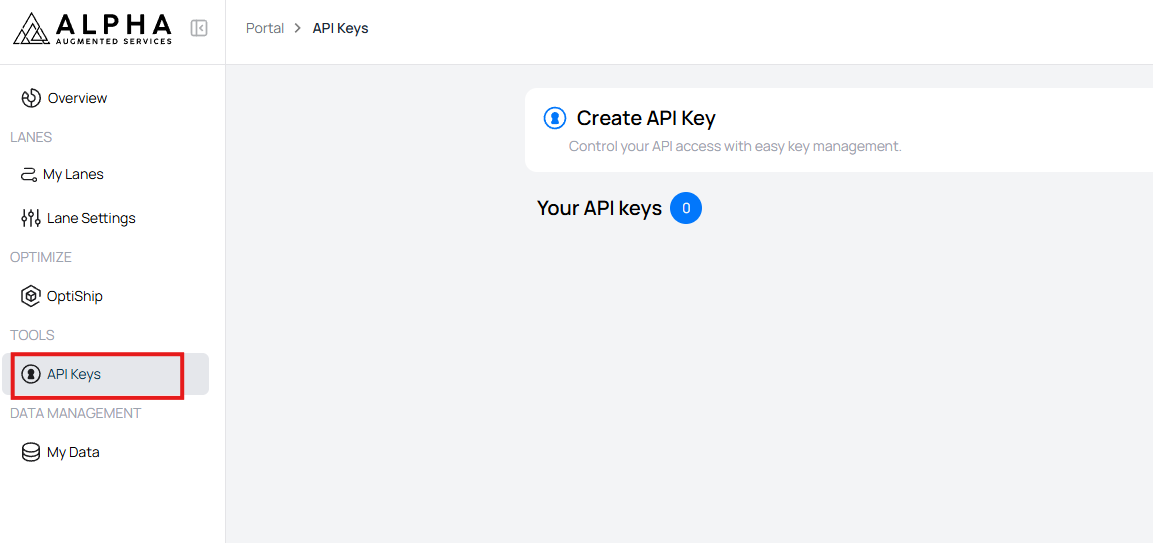
Step 1: Open the API Keys page
Sign in to the ALPHA Portal and navigate to the page where API keys are managed.
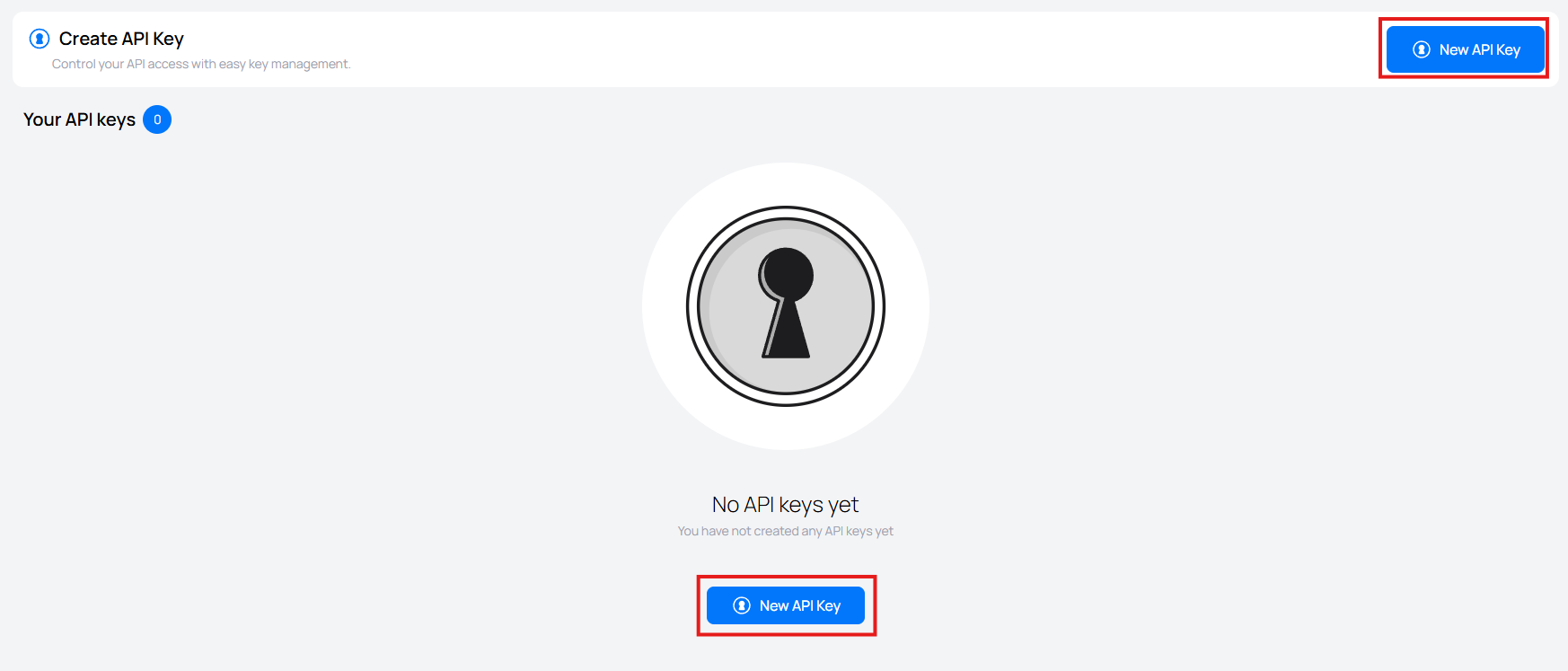
Step 2: Click Create API Key
Select the option to create a new API key.
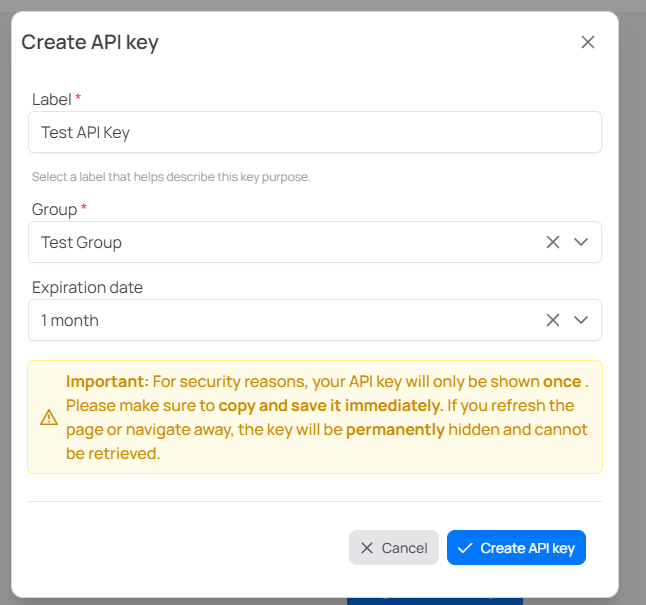
Step 3: Enter the key details
Provide the required information for the new API key, such as the key name or integration name and choose the appropriate access for the integration. Click Create API key to generate the API key.
Step 4: Copy the generated API key
Copy the API key and store it in a secure location. For security reasons, the full key may only be shown once.
Warning
Store the API key securely when it is created. Treat it like a password and do not expose it in source code, screenshots, or client-side applications.

Example Header
Authorization: Api-Key 0123456789abcdef0123456789abcdef
Full cURL Example
curl -X POST "https://api.alphaaugmented.com/api/v1/orders/submit-order/"
  -H "Authorization: Api-Key 0123456789abcdef0123456789abcdef"
  -H "Content-Type: application/json"
  -d '{
    "supplier_name": "Supplier",
    "consignee_name": "Consignee",
    "transportation_mode": "Air",
    "reference": "AIR-001",
    "order_items": [
      { "item": "PRD-001", "quantity": 2 }
    ]
  }'
Authentication Error Responses
|
Status |
Reason |
Cause |
|---|---|---|
|
|
Invalid or missing API key |
Header missing, malformed, or unknown key. |
|
|
Access denied |
Valid key but no permission for the resource. |
401 Example
{ "detail": "Invalid API key" }
403 Example
{ "detail": "You do not have permission to access this resource." }
API Key Details
-
Created in the ALPHA Portal — Users with permissions can generate and manage keys
-
Scoped to your company — Each key is tied to a specific integration
-
Confidential — Treat like passwords; never expose in code or logs
-
Rotatable — Revoke and create new keys at any time
Use the key exactly as provided; do not encode or transform it.
Best Practices
-
Keep keys secret — Never expose in client-side code, repos, or screenshots.
-
Rotate periodically — Work with your administrator on a rotation schedule.
Troubleshooting Authentication Errors
401 Unauthorized
-
Verify the
Authorizationheader is present -
Confirm the prefix is exactly
Api-Key(case sensitive) -
Ensure one space between
Api-Keyand the key -
Check the key is active and copied correctly (no extra whitespace)
403 Forbidden
-
Confirm the API key has access to the requested supplier, consignee, and lanes
-
Check with your administrator if permissions have changed